URL-Based Scraping
If you already have a Google Maps search results URL or a specific business listing page, the URL Scraper is your go-to tool. It lets you plug in existing URLs directly — no need for pins or location radius settings.
This is the fastest way to extract data from a known source.
Where to Find It
- From the left sidebar, go to Scraper → URL
- Click the “Create New” button in the top-right corner
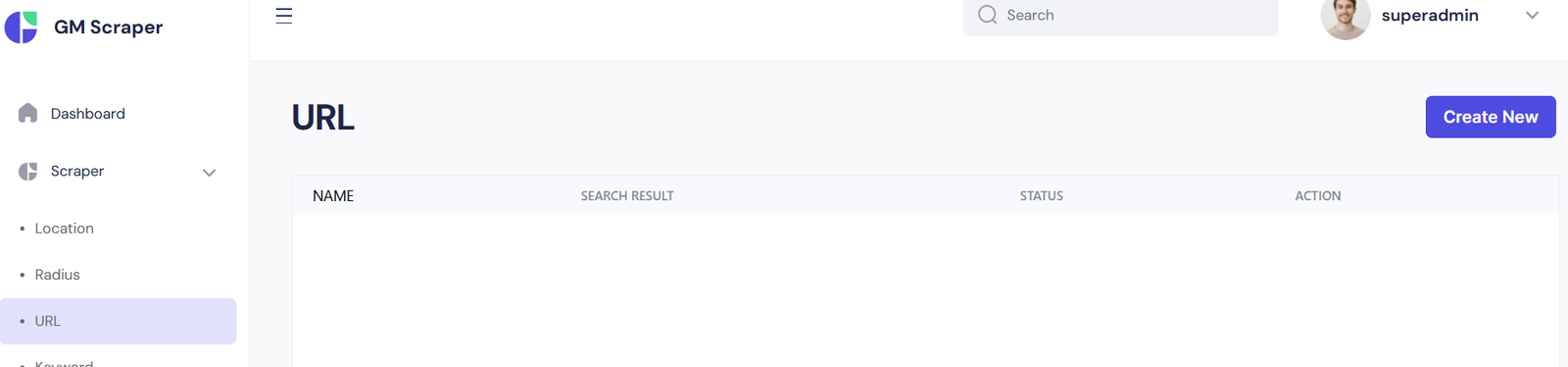
You’ll then be prompted to add a name for your task and the actual Google Maps URL you want to scrape.
Types of URLs You Can Use
You can input:
- ✅ A direct Google Maps business listing URL
- ✅ A search results URL (like “restaurants in Manhattan”)
- ✅ A category search within a location
Example URLs
| Use Case | Example |
|---|---|
| Business Listing | https://www.google.com/maps/place/McDonald's... |
| Search Results | https://www.google.com/maps/search/coffee+shops+in+Brooklyn/ |
| Category + Location Combo | https://www.google.com/maps/search/hospitals+near+Berlin,+Germany/ |
💡 The scraper intelligently parses these URLs to fetch business listings, contact info, addresses, ratings, and more.
How to Create a URL Scraper Task
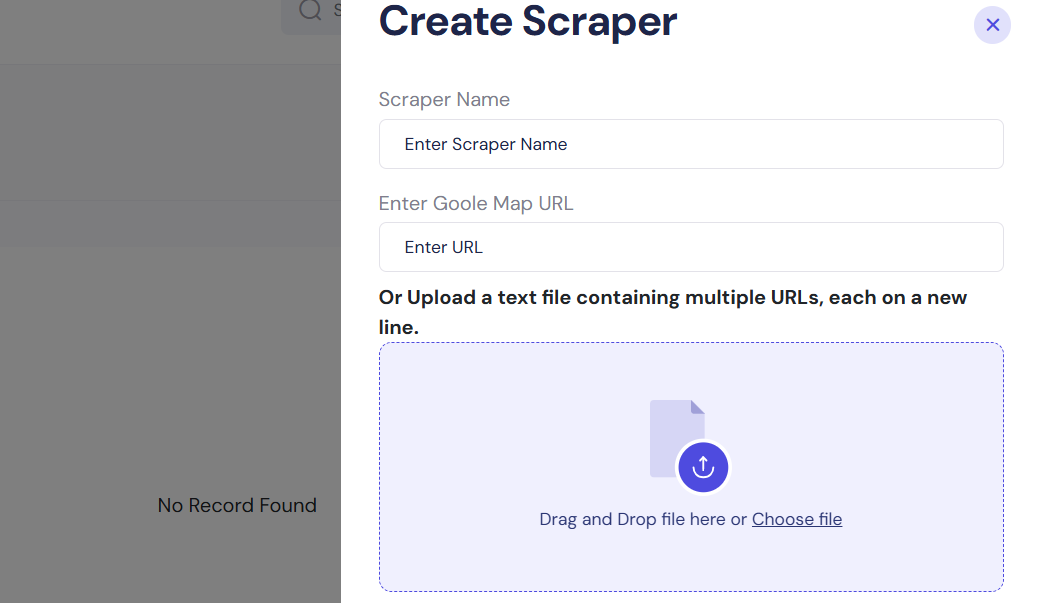
The Create Scraper modal allows you to input a single Google Maps URL or upload a list of multiple URLs. This gives you ultimate flexibility in how you want to fetch data — either quick one-off scrapes or large-scale scraping in bulk.
Input Methods
You have two options when creating a scraper:
1. Manual Entry
Use this when you have just one or two links to scrape.
| Field | Description |
|---|---|
| Scraper Name | Give your task a name. Example: Miami Cafes |
| Google Map URL | Paste the direct URL to the Google Maps search result or business listing |
2. Bulk Upload (Text File)
For large scraping tasks, you can upload a .txt file containing multiple Google Maps URLs, each on a new line.
- ✅ Perfect for scraping dozens or hundreds of businesses in one go
- 📂 Accepted Format: Plain text (.txt)
- 📥 Each line should contain a full, valid Google Maps URL
Example:
https://www.google.com/maps/search/lawyers+in+Dallas/
https://www.google.com/maps/place/Starbucks...
https://www.google.com/maps/search/hospitals+in+Toronto/
To upload:
- Drag and drop your file into the upload area
OR
- Click “Choose file” and select your text file manually
⚠️ Pro Tip: Double-check the links in your file. Invalid or partial URLs may cause the task to fail.
Finishing Up
Once you've entered the necessary info or uploaded your file:
- Click the Save button at the bottom
- The task will be added to your URL Scraper dashboard
- It will automatically begin scraping in the background
Best Practices
- Use meaningful names for your scrapers to stay organized
- Avoid URLs that are too long or generated from redirects
- Combine this method with Radius or Keyword scrapers for maximum data coverage
Use Case Examples
| Scenario | Best Input Method |
|---|---|
| Scraping 1–2 listings manually | Paste URL manually |
| Scraping 50+ locations at once | Upload .txt file |
| Scraping category results for SEO | Use Google Maps search URL |
| Targeting specific competitors | Use direct business URLs |