Location-Based Scraping
The Location module in GM Scraper lets you scrape business data based on specific cities or areas. This feature is ideal for local lead generation, regional market research, or city-based outreach campaigns.
Where to Find It
Navigate to Sidebar Menu → Scraper → Location If you're seeing "No Record Found":
- No scrapers have been created yet.
- Try clicking “Create New” and run a test scraper to populate data.

Tips Before You Start:
- Make sure your proxy and API key (if required) are correctly set up under Settings.
- Avoid running multiple scrapers for the same location to prevent duplicate results.
- Use broad city names for more data or narrower neighborhoods for precise targeting.
Create a New Location Scraper
To get started with a new location-based scraping task:
- Click the “Create New” button on the top right of the screen.
- Fill in the Scraper Name with a meaningful title.
- Enter the City Name or Location Keyword you want to target (e.g., “New York”, “Berlin”, “Downtown Toronto”).
- Click Save to initiate the scraping task.
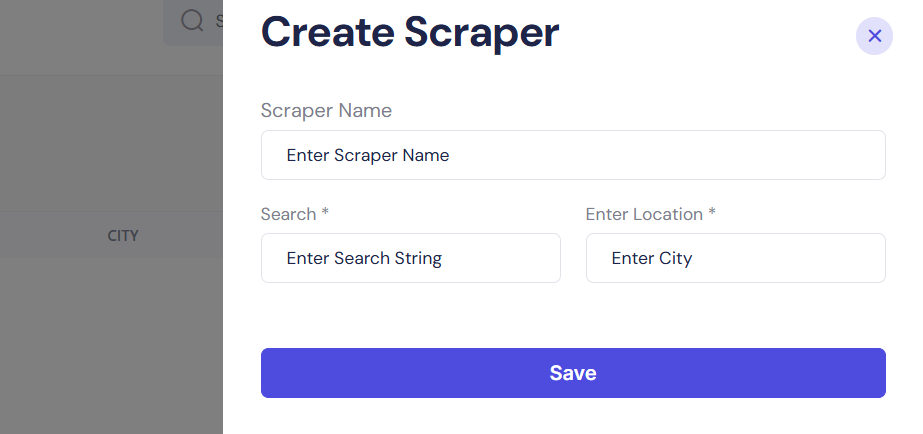
Please note: Both the “Search” and “Location” fields are mandatory to initiate a scraper.
Once submitted, GM Scraper will begin querying Google Maps based on the search criteria. The results will appear in the Location table, where you can monitor progress, download data, or manage the scraper.
Once started, GM Scraper begins collecting data like:
- Business names
- Addresses
- Phone numbers
- Google ratings
- Websites (if available)
Location Scraper Table Columns
When your scrapers begin running, you’ll see them listed in a table with the following columns:

| Column | Description |
|---|---|
| Name | The custom name you assigned to the scraper. |
| Search Result | Number of business listings found in the targeted location. |
| City | The location/city entered for scraping. |
| Status | Displays the current state (e.g., Pending, Processing, or Completed). |
| Action | Let's you pause, delete, or view results once scraping is done. |
Best Use Cases
- Agencies targeting local businesses
- Lead generation for real estate, law firms, or restaurants
- Hyper-local marketing campaigns
Next Steps
As soon as a scraper is active, the status field will change. When completed, you’ll be able to access results and export the collected business data in CSV format for CRM or email marketing use.