Settings
It’s the central hub for configuring integrations, security, and scraping parameters to optimize GM Scraper performance.
Navigation Path
From the left sidebar, click the Settings option.
Note: Changes require "Save" confirmation before activation
Here, you will see four different types of settings, which are as follows:
1: SMS/Call Settings
Configure telephony integrations for campaign outreach
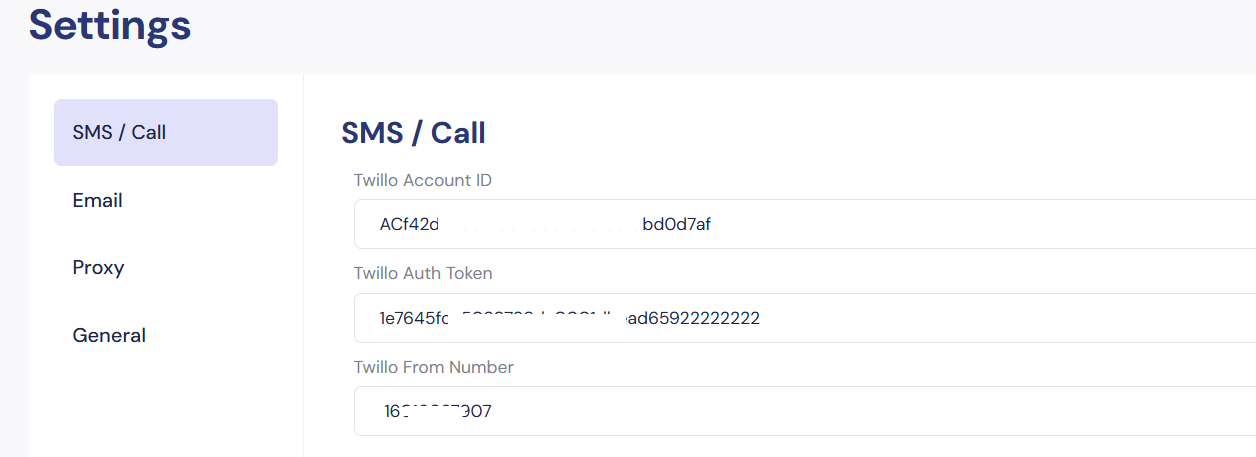
Twilio Configuration (Mandatory for SMS/Call Campaigns)
| Field | Description | Format | Example |
|---|---|---|---|
| Twilio Account ID | Primary account identifier | Starts with "AC" | AC142427706……..96dbdb0d7af |
| Twilio Auth Token | Secret API key for authentication | 32-character alphanumeric | la7645fee5039……….dbead659222 |
| Twilio From Number | Purchased phone number for outbound comms | E.164 format | +16035689805 |
Setup Workflow:
- Create a Twilio account at twilio.com
- Obtain credentials from Twilio Console → Account Info
- Paste values into the corresponding fields
- Click Save
Verification Steps:
- Send test SMS via Campaigns → Test Function
- Check Twilio logs for delivery status
⚠️ Critical: Enable two-factor authentication on Twilio account to prevent token compromise
2: Email Settings
Integrate email service providers for campaign delivery
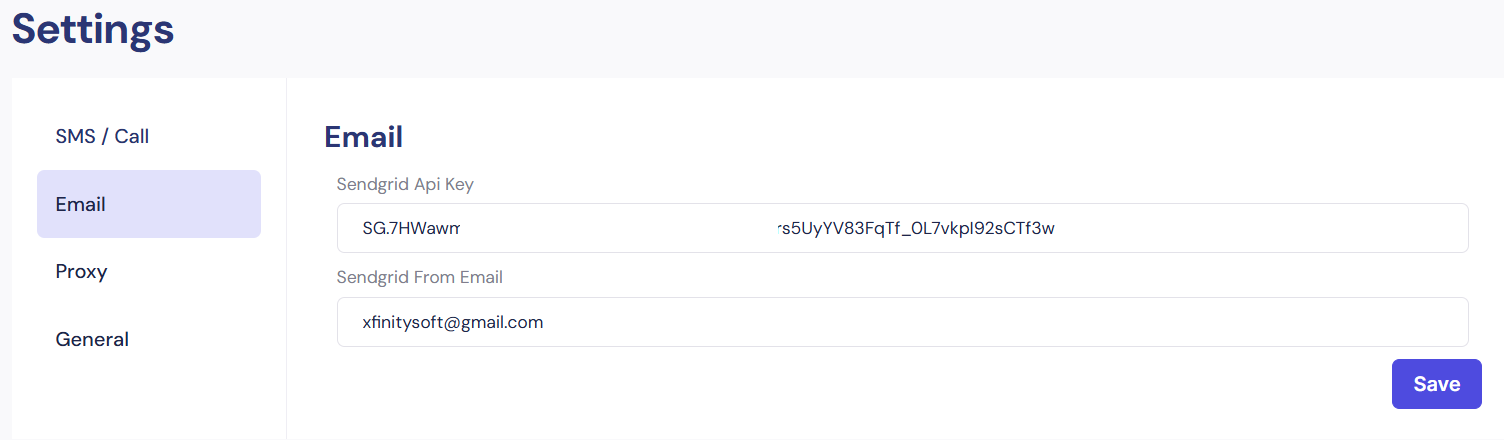
SendGrid Configuration
| Field | Description | Requirements |
|---|---|---|
| SendGrid API Key | Authentication token for SMTP access | "Full Access" permissions |
| SendGrid From Email | Sender address for campaigns | Domain-verified in SendGrid |
API Key Generation:
- SendGrid Dashboard → Settings → API Keys
- Create key with name: GM_Scraper_Production
- Copy key immediately (hidden after creation)
Domain Authentication:
- Required to prevent "via sendgrid.net" tag
- Follow SendGrid's domain verification wizard
3: Proxy Settings
Manage IP rotation to prevent Google Maps blocking
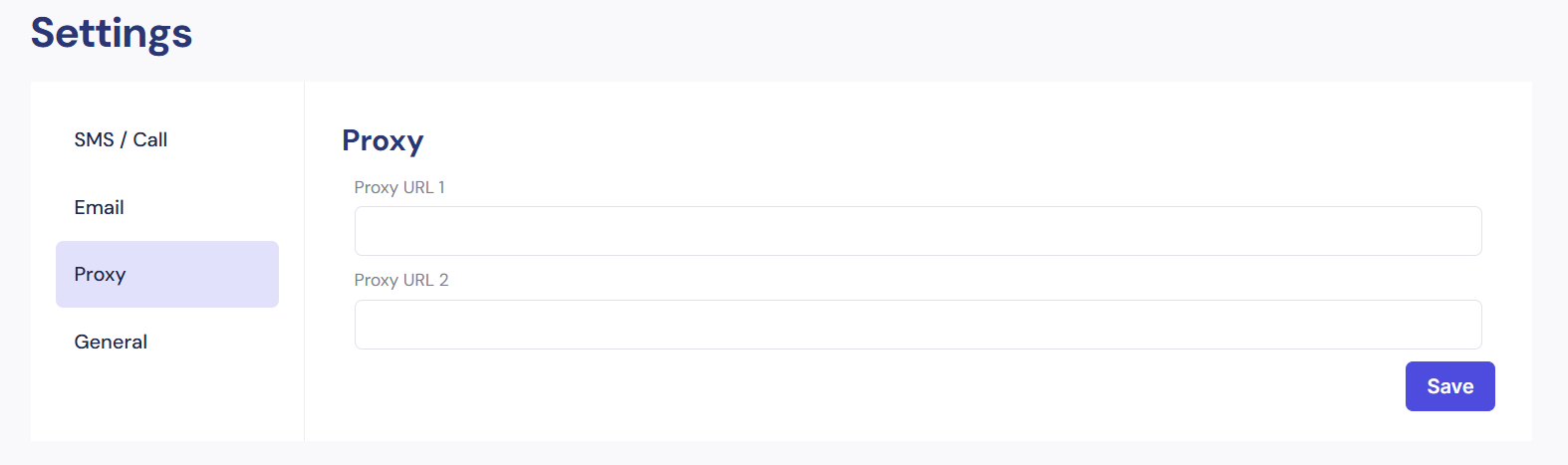
Proxy Configuration Table
| Field | Description | Supported Formats |
|---|---|---|
| Proxy URL 1 | Primary proxy server | http://user:pass@ip:port socks5://ip:port |
| Proxy URL 2 | Fallback proxy (optional) | Same as Proxy URL 1 |
Best Practices:
- Use rotating residential proxies (e.g., BrightData, Oxylabs)
- Format:
http://username:password@gate.provider.com:8000 - Test proxies with the Search button before saving
4: General Settings
Core system parameters for scraping operations
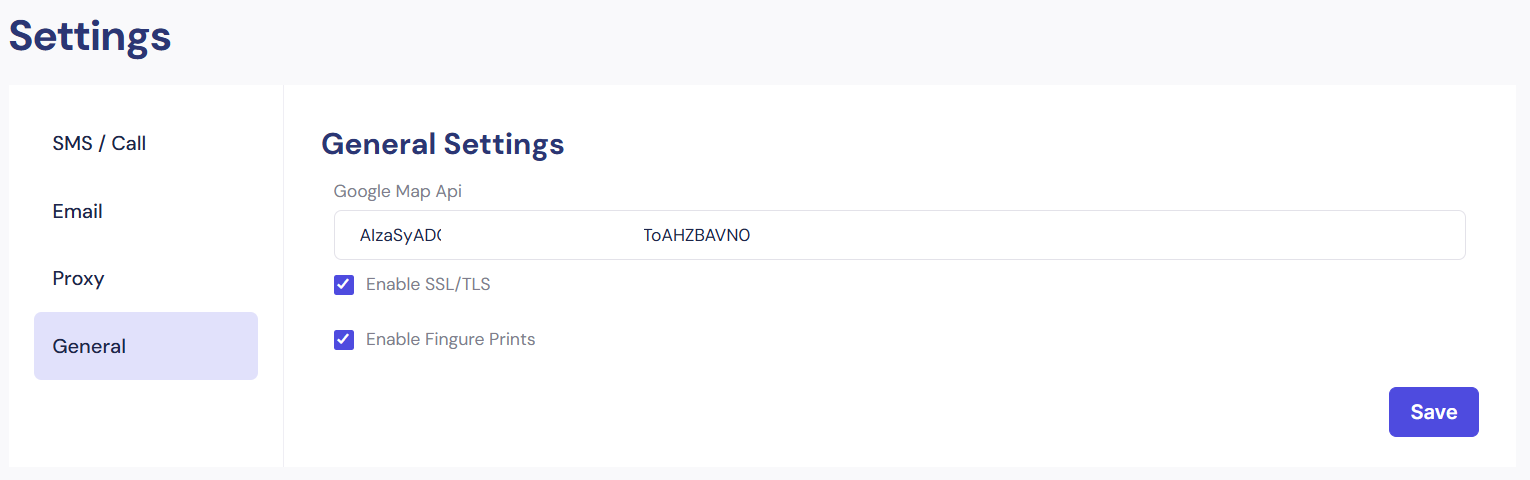
Configuration Fields
| Field | Description | Recommended Value |
|---|---|---|
| Google Map API | Enhances place detail accuracy | Valid Google Cloud API key |
| Enable SSL/TLS | Encrypts data in transit | Always enabled (☑) |
| Enable Fingerprints | Browser-like headers to avoid detection | Enable for heavy scraping |
Google API Key Setup:
- Google Cloud Console → APIs & Services
- Enable:
- Maps JavaScript API
- Places API
- Restrict the key to the server IP
Security Protocols:
- SSL/TLS: Mandatory for email/SMS transmission
- Fingerprints: Generates unique browser signatures per request
Troubleshooting Settings
These are the common errors & solutions:
| Issue | Resolution |
|---|---|
| Invalid Twilio Credentials | Regenerate Auth Token → Update field |
| SendGrid Rejections | Verify domain authentication → Warm up IP |
| Proxy Connection Failure | Test via curl -x [proxy] https://maps.google.com |
| Google API Limit Errors | Enable billing → Increase quota in Cloud Console |